Igor Pro is an interactive software environment for experimentation with scientific and engineering data and for the production of publication-quality graphs and page layouts. Igor has been used by tens of thousands of technical professionals since its introduction in 1989. Here are a few highlights of the newly released Igor Pro 10.
- Igor Pro 10 runs on Windows 10 and later
- Produces and exports high-resolution, journal quality scientific graphs in SVG, EPS, PDF, and PNG
- Handles large data sets very quickly
- Includes a wide range of capabilities for scientific and engineering analysis and simulation
- Contains a built-in programming environment that makes it easy to automate applications and extend internal tools
- Completely programmable via a built-in programming environment and can be extended by external code (XOPs) written in C
- Igor Pro has special support for time-series or other evenly-spaced data
Includes extensive image processing tools for image filtering, manipulation and graphing
- Python integration allows you to directly execute Python code and exchange data between Igor and Python
- Imports data in many formats and can acquire data from hardware devices
- Uses unicode to support foreign languages and mathematical symbols
- Active user-to-user support and collaboration forum
- Responsive, user-acclaimed technical support
- Includes Igor Filter Design Laboratory for interactive design of FIR and IIR digital filters
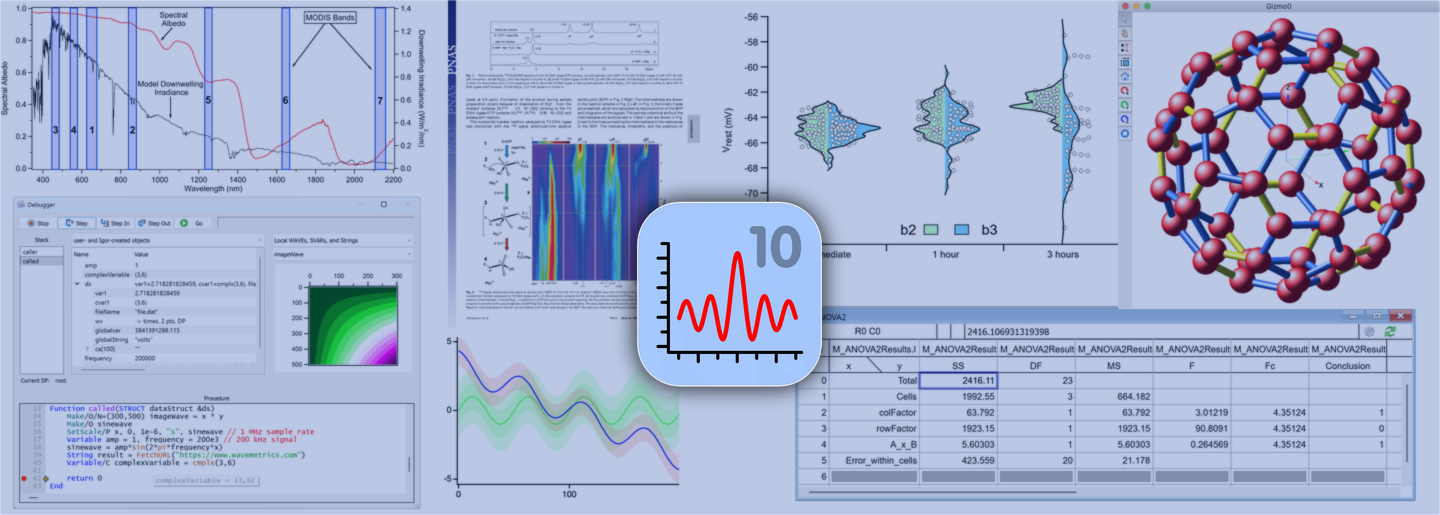
Igor Pro 10 is an interactive software environment for experimentation with scientific and engineering data and for the production of publication-quality graphs and page layouts. Igor has been used by tens of thousands of technical professionals since its introduction in 1989.
Igor Pro combines powerful tools with an easy to use, point and click interface for the casual user together and a programming environment for the sophisticated user. Igor Pro’s plugin technology extends the built-in functionality with custom tools for data acquisition, instrument control and computational tasks.
The latest Igor Pro 10 release contains hundreds of improvements, including Python integration, built-in support for HDF5, new functions and operations. View the full list of updates here.
Free Upgrade Eligibility
All Igor Pro 9 licenses (new and upgrades) sold on or after January 1, 2025, are eligible for a free upgrade to Igor Pro 10.
Download Igor Pro Brochure
Igor Pro is an excellent tool for:
Graphics Creation - Igor Pro is first and foremost a publication quality scientific and engineering graphics program, capable of creating visually stunning 3D graphics as well as 2D graphs.
Data Access - Scientists and engineers encounter many data formats. Igor Pro provides a variety of import, storage and export capabilities that can handle almost any requirement.
Data Storage - Unlike spreadsheet programs, Igor Pro's data objects won't clutter up your screen. Efficiently organize your data into a hierarchy, just like you would organize files in a hierarchy of folders on your hard drive!
Data Manipulation & Math - Igor Pro provides an extensive library of math and data manipulation routines and Igor's array-oriented arithmetic make complex operations a snap.
Image Processing - Igor Pro contains a full set of operations and functions for scientific image analysis applications.
Data Analysis - Igor provides many analysis capabilities, including curve fitting, peak analysis, signal processing and statistics.
Analysis of Function - Igor includes several operations that work on functions rather than discrete data points, including: plotting of functions, differential equations, numerical integration of functions, root finding and optimization.
Programming
Igor Pro includes a powerful and full-featured structured programming language that you can use for automation of data import, file I/O, analysis, data acquisition, graphing, drawing, printing, and just about anything you can think of.
Igor Pro´s full-featured symbolic debugger gives you a powerful tool to get your code working properly by observing it execute one step at a time. You can view multidimensional waves as images and 1D waves in a regular graph. You can also view waves in a table and values edited in place.
Igor Pro® 10 introduces built-in Python integration, allowing you to directly execute Python code and exchange data between Igor and Python. Together, users can combine the power of Igor's numeric analysis, data visualization, and data management tools with the extensive set of third-party libraries that are available to Python programmers.
Read More >>
Igor Pro 10 License Activation
When you first launch Igor Pro 10 it will prompt you for your serial number and activation key.
You will receive your serial number and activation key in an email from WaveMetrics.
NOTE: The activation key used for Igor Pro 10 is different than for Igor Pro 9 or earlier.
Entering your activation information will permanently enable your Igor Pro 10 installation.
Until you enter the serial number and activation key, Igor Pro runs in a fully-functional 30-day evaluation mode.
After 30 days, Igor Pro will lapse into limited functionality mode. The limitations of this mode are:
Saving is disabled.
The clipboard contents cannot be transferred to other programs.
The printing output is lightly over-printed with Igor-related words.
Executing commands in the Python console and calling the Python and PythonFile operations.
To enter your serial number and license activation key, select “License...” from Igor’s “Help” menu, and enter them in the License Activation dialog.